WhatsApp Chatbots Explained: A Beginner's Guide
Learn how automated WhatsApp chatbots can handle customer support, qualify leads, and drive sales 24/7 without human intervention.
Introduction
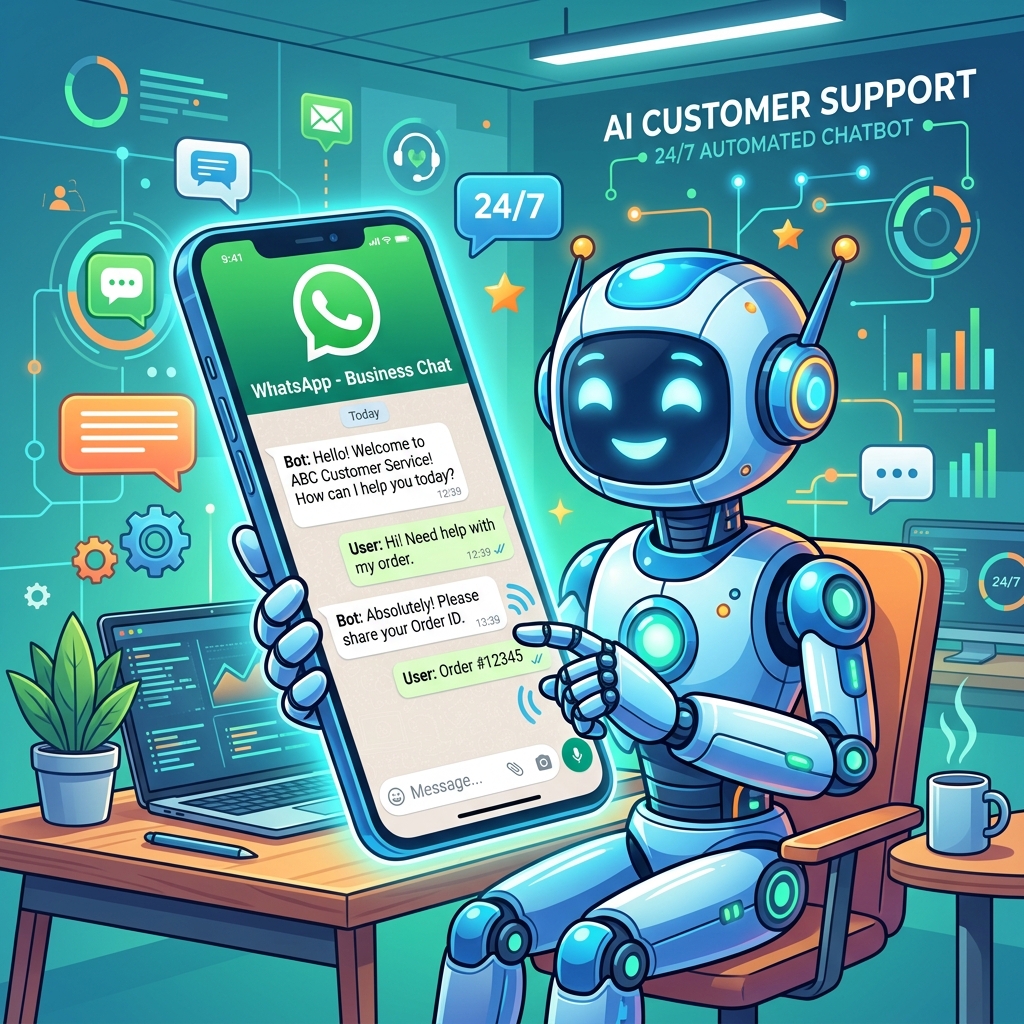
Imagine having a highly trained employee who never sleeps, never takes a coffee break, can speak multiple languages, and can handle a thousand customer inquiries simultaneously.
That is the power of a WhatsApp Chatbot.
As consumer expectations for instant gratification reach all-time highs, businesses can no longer afford to make customers wait hours (or days) for a response to a simple query. A chatbot ensures that every customer receives an immediate, helpful response the moment they send a message.
If you're new to automation, the idea of building a chatbot might sound incredibly technical and daunting. Fortunately, modern platforms (like Zeserv) use drag-and-drop visual builders, making it accessible to anyone. Let's break down how they work and how they can transform your business.
Types of WhatsApp Chatbots
There are two primary categories of chatbots you can build for WhatsApp:
1. Rule-Based Chatbots (Decision Trees)
These are the most common and reliable bots for small-to-medium businesses. They operate on a strict set of rules using interactive menus and buttons.
When a customer messages the business, the bot presents a menu: "Hi! How can we help you today? Please tap an option below:"
- Button A: Track Order
- Button B: Book Appointment
- Button C: Speak to a Human
The conversation follows a pre-defined path based on what the user clicks. They are simple to build, highly effective, and leave zero room for the AI to "hallucinate" or provide incorrect information.
2. NLP / AI Chatbots
These chatbots use Natural Language Processing (like ChatGPT) to understand free-form typed text. Instead of clicking buttons, the customer types, "Do you guys open on Sundays?"
The AI analyzes the intent of the sentence, searches the business's knowledge base, and formulates a dynamic, conversational reply.
While incredibly powerful, they require more careful setup and training to ensure they accurately reflect your brand policies.
Top Use Cases for WhatsApp Chatbots
A chatbot shouldn't try to do everything. It should focus on automating the most repetitive, time-consuming tasks.
Automated Customer Support (FAQs)
Analyze your inbox: what are the top 5 questions you get asked every day? Usually, it's business hours, location, return policies, or pricing. A bot can answer these instantly, freeing up your human agents for complex issues.
Lead Qualification
Don't let your sales team waste time on unqualified leads. When someone clicks a Facebook ad to WhatsApp, the bot can instantly ask:
"What is your budget?"
"When are you looking to purchase?"
Only after the user answers these questions does the bot route the chat to a live sales representative.
Order Tracking & Logistics
By connecting your chatbot to your e-commerce database, customers can simply type their order number (or select it from a menu) and the bot will instantly pull the real-time shipping status from your system.
Appointment Booking
A bot can display available time slots in a list message. The user selects a time, and the bot automatically reserves the slot in your integrated calendar software.
 }})
Best Practices for Designing a Great Chatbot
- ✅ Always Offer a Human Handoff: Nothing frustrates a customer more than being trapped in an endless bot loop when they have a complex issue. Always include an "Escalate to Agent" button.
- ✅ Set Clear Expectations: Have the bot introduce itself immediately (e.g., "Hi, I'm the Zeserv Virtual Assistant 🤖"). Don't try to trick customers into thinking they are talking to a human.
- ✅ Keep it Simple: Don't overwhelm users with massive blocks of text. Break information down into short, punchy messages and use buttons to navigate.
- ✅ Use Emojis: Emojis soften the automated tone and make the interaction feel more native to the WhatsApp environment.
Frequently Asked Questions
Do I need to know how to code to build a chatbot?
Not anymore! With modern Business Solution Providers and CRM platforms, you build chatbots using visual drag-and-drop flow builders. You simply connect boxes together to map out the conversation.
Can a chatbot collect and save data?
Yes. When a bot asks for an email address or a specific preference, it can automatically save that variable to the customer's profile in your CRM for future marketing use.
Does the chatbot work on the standard WhatsApp Business App?
No. While you can set up basic "Away Messages" on the app, true interactive chatbots require the WhatsApp Business API connected to a third-party automation platform.
Final Thoughts
Implementing a WhatsApp chatbot is one of the highest-ROI investments a business can make. By automating the mundane, you reduce operational costs, eliminate customer wait times, and allow your human staff to focus on high-value tasks like closing sales and building deep customer relationships.
Start small—automate your top three FAQs—and gradually expand your bot's capabilities as you learn how your customers prefer to interact.