
How to Integrate WhatsApp with Your CRM
Turn WhatsApp from a standalone messaging app into a fully integrated data powerhouse that drives your sales pipeline.
Introduction
For many businesses, WhatsApp is a black hole of data. Sales representatives chat with leads on their personal or business phones, but none of those interactions, details, or deal statuses make it back into the company's central database.
This siloed approach leads to lost leads, duplicated efforts, and a complete lack of management oversight. If a sales rep leaves the company, they take all their WhatsApp customer relationships with them.
The solution? Integrating WhatsApp directly into your Customer Relationship Management (CRM) system.
By connecting the WhatsApp Business API to your CRM, you centralize all communication, automate data entry, and ensure that every customer interaction is logged and actionable.
Why Integrate WhatsApp with a CRM?
Integrating these two systems unlocks a level of efficiency that manual data entry simply cannot match.
- A Single Source of Truth: When a customer messages you on WhatsApp, the conversation appears directly in their CRM contact profile alongside their email history, purchase history, and notes.
- Automated Lead Capture: If an unknown number messages your WhatsApp API, the integration automatically creates a new "Lead" in the CRM, capturing their phone number and WhatsApp profile name instantly.
- Trigger-Based Automation: You can set up rules in your CRM. For example, if a deal stage is changed to "Contract Sent," the CRM can automatically trigger a WhatsApp message to the client saying, "Hi, we just emailed your contract. Let us know if you have questions!"
- Team Collaboration: Multiple agents can view and reply to the same WhatsApp conversation from within the CRM interface. Managers can oversee chats to ensure quality.
How the Integration Works Technically
To integrate WhatsApp with a CRM, you cannot use the standard WhatsApp Business App on your phone. You must use the WhatsApp Business API.
The flow looks like this:
- A customer sends a message from their WhatsApp app.
- The message travels to Meta's servers.
- Meta's API pushes the message via a webhook to your CRM or Business Solution Provider (like Zeserv).
- The CRM displays the message in the shared inbox and attaches it to the customer's profile.
 }})
Step-by-Step Integration Guide
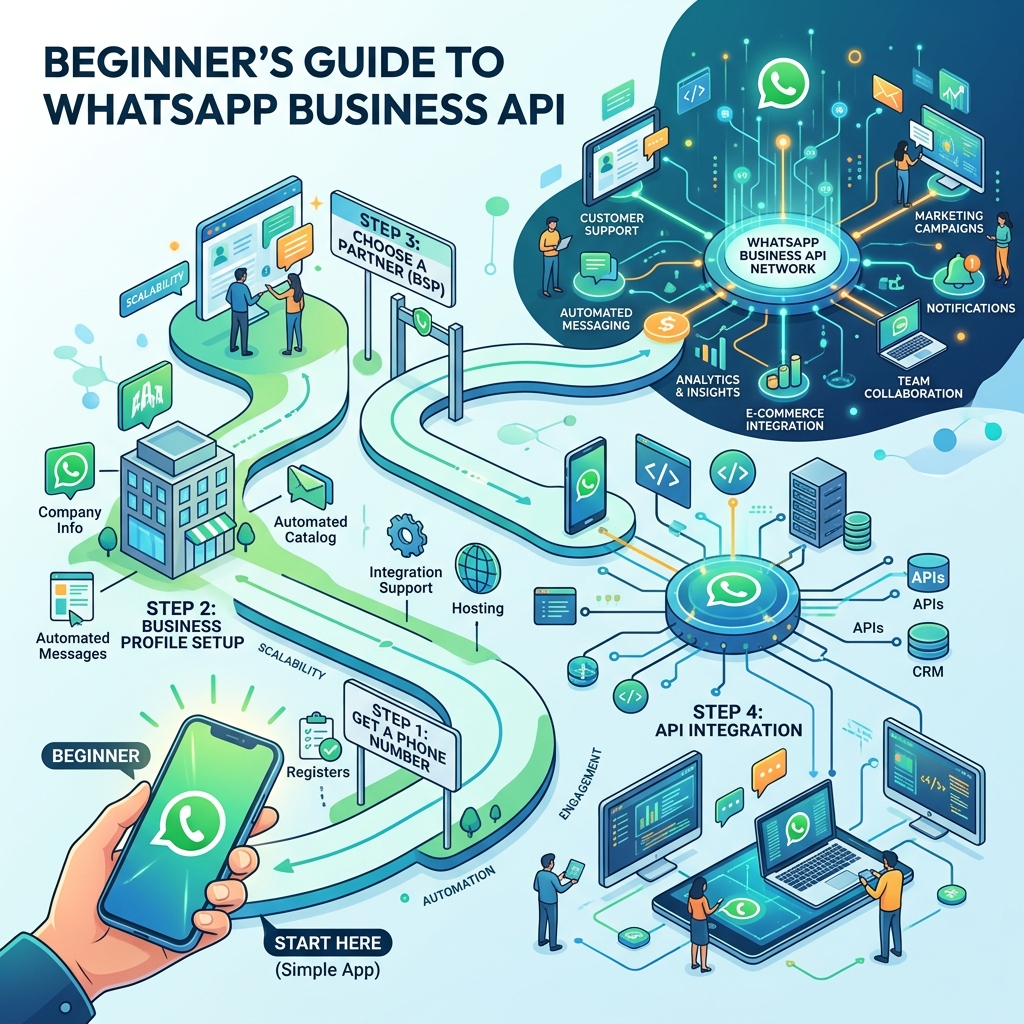
Integrating WhatsApp into a CRM like Hubspot, Salesforce, or Zoho (or using an all-in-one platform like Zeserv) generally follows these steps:
Step 1: Get Access to the WhatsApp API
Sign up with a verified Business Solution Provider (BSP) that offers CRM integration capabilities. You will need to verify your Facebook Business Manager and register a dedicated phone number.
Step 2: Connect Your CRM
If your BSP offers native integrations (a direct plugin), simply click "Connect," log into your CRM, and authorize the connection. If a native integration doesn't exist, you can use middleware tools like Zapier or Make.com to bridge the API and your CRM.
Step 3: Map the Data Fields
Tell the system how data should flow. For example:
- Map the WhatsApp Phone Number to the CRM's "Mobile" field.
- Map the WhatsApp Profile Name to the CRM's "First Name" field.
- Decide if incoming messages should create a "Ticket," a "Lead," or just a "Note."
Step 4: Build Automated Workflows
This is where the magic happens. Create workflows in your CRM to automate WhatsApp messages based on CRM events (e.g., Lead Status change, Order Shipped, Payment Overdue).
Best Practices for CRM Integration
- ✅ Maintain Clean Data: Ensure your CRM phone numbers are formatted correctly with international dialing codes (e.g., +1 for US) so the API knows exactly where to send the messages.
- ✅ Use Tags and Labels: Set up your integration to automatically tag contacts based on their WhatsApp behavior (e.g., tag them "Hot Lead" if they click a specific button in a WhatsApp template).
- ✅ Respect Opt-Outs: If a customer replies "STOP" on WhatsApp, ensure your CRM immediately updates their profile to "Do Not Contact" to prevent accidental future broadcasts.
Frequently Asked Questions
Can I integrate my existing WhatsApp number?
Yes, but you must delete the standard WhatsApp Business App account associated with that number before porting it over to the API and integrating it with your CRM.
Will integrating WhatsApp slow down my CRM?
No. Native integrations and webhook-based data transfers happen in milliseconds and do not affect the performance of your CRM.
Do I need a developer to set this up?
If you use a modern platform with native integrations or Zapier, no coding is required. However, if you are building a custom integration directly into an in-house bespoke CRM, you will need developer assistance.
Final Thoughts
Data is the lifeblood of modern sales. Allowing customer conversations to exist solely on individual employee smartphones is a massive security and operational risk.
By integrating WhatsApp with your CRM, you bring your most active communication channel into the light. You empower your sales team with automation, provide management with crucial oversight, and deliver a seamless, hyper-personalized experience to your customers.